Starting a brand in 2026 isn’t quite the same as it was a few years ago.
Back then, building a brand usually meant piecing together different services and tools. You might hire someone for a logo and work with another designer for marketing materials.
Even after everything was created, revisions could take days before the final result seemed right.
Today, AI has changed this process. Now, AI allows you to have all the necessary tools available in one place. AI tools like Zawa AI assist businesses in creating branding and marketing materials by using just prompts.
However, how effective is this tool in practice?
In this review, we’ll examine the effectiveness of Zawa AI and test its capabilities to create various types of visual content. Plus, we’ll assess whether it is worth considering in 2026.
What is Zawa AI?
Zawa AI is a comprehensive brand kit generator designed to help businesses build a complete brand identity from scratch. Previously known as X-Design, the platform is built around specialized AI Agents that handle different parts of the branding process. Based on natural language prompts, these agents can generate key brand assets such as:
● Logos
● Brand guidelines
● Menus
● Promotional posters
● Social media content
● Product photography
● Marketing
● Advertising visuals
For instance, when launching a new café brand, Zawa allows users to take their initial concepts and transform them into a branded product that is ready to be released to the public.
Rather than dealing with the design and marketing elements of your product separately, Zawa allows you to combine these elements in one place so they can be used effectively.
Core Capabilities of Zawa AI
Now that we know what Zawa AI is, let’s review its key features and see what it can actually do for small and medium businesses.
Table of Contents
1. Logo Generation
I started by testing Zawa AI Logo Generator feature, which is often the first step in building a new brand.
What stood out is that the platform supports multiple approaches. You can browse logo styles within the platform if you’re looking for inspiration.
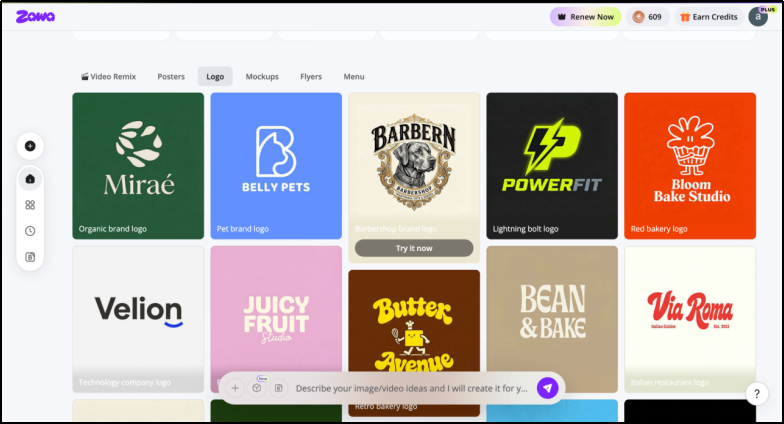
If you already have an idea in mind, you can generate completely new concepts using a prompt.
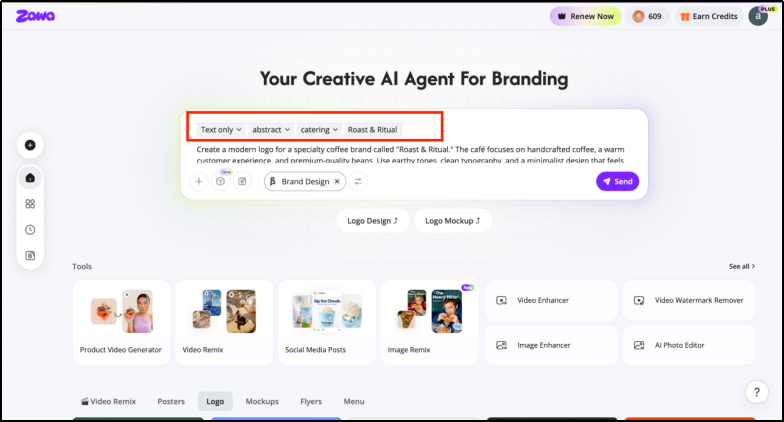
The process also feels more guided than many AI logo makers. Here, you also get an option to upload reference images, which can help guide the overall design direction.
2. Brand Kit Creation
Brand Kit Creation is one of the highlights of the Zawa AI platform.
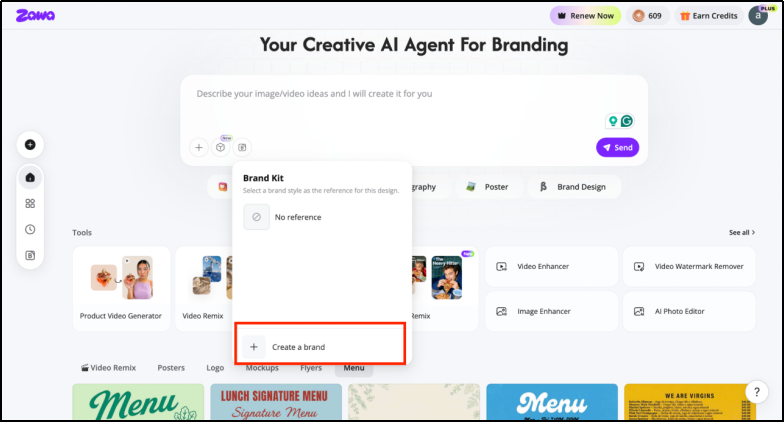
There are two ways to use it. You can either create a brand from scratch or simply use your existing brand assets and generate a brand kit.
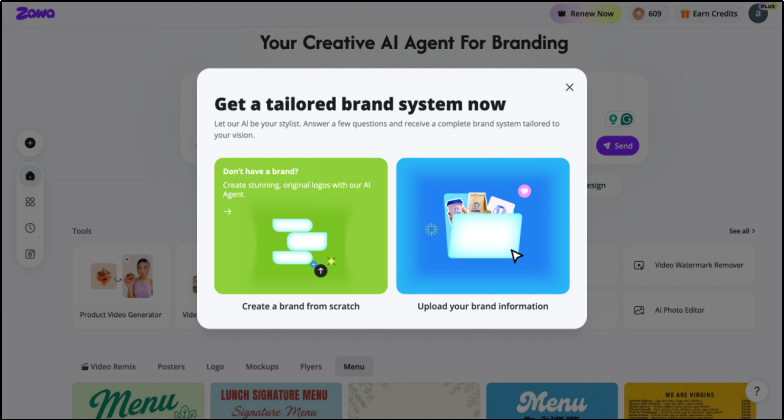
1. Create a brand kit from scratch
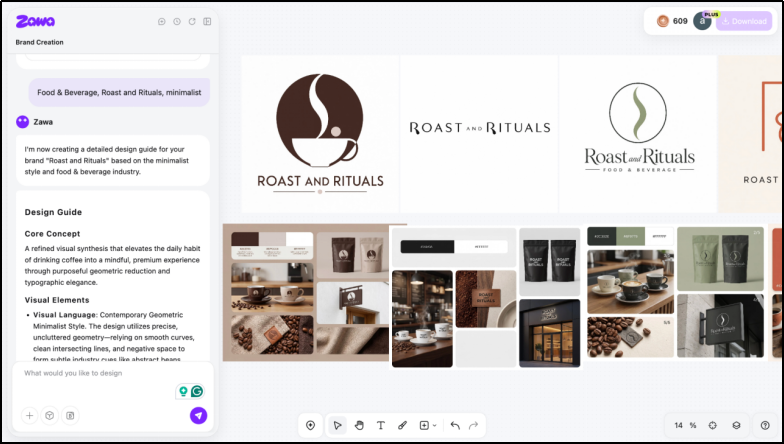
If you’re building a new business, you can start with a simple prompt. Zawa then generates a complete brand kit based on your inputs, helping establish the visual direction of the brand.
All you have to do is enter the information about your new brand. This may include the brand’s vibe or even target audience. Within seconds, you get a complete brand kit.
For instance, I entered a few details about my brand and got various mockups from coffee packets to even mugs.
2. Generate a kit for an existing brand
If you already have brand assets, you can upload them directly. The platform uses those assets as a foundation and builds a more structured brand kit around them.
Once you upload your logo, the tool automatically picks its color from the color palette. And, after a couple of questions, the “Brand Strategist” feature generates your brand kit.
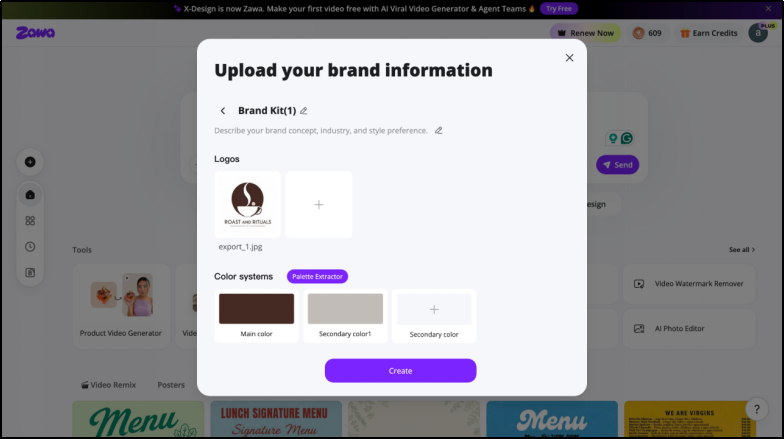
What I liked here is that the feature isn’t limited to new businesses. It can be just as useful for existing brands that want to organize their branding.
Social Media Content Creation
The social media content creation feature is surprisingly straightforward to use.
You can simply upload up to 5 product images, add a tagline, and provide the text you want on the post.
Zawa can generate a complete social media creative around those inputs. The tool allows you to choose your post type along with the purpose of the post.
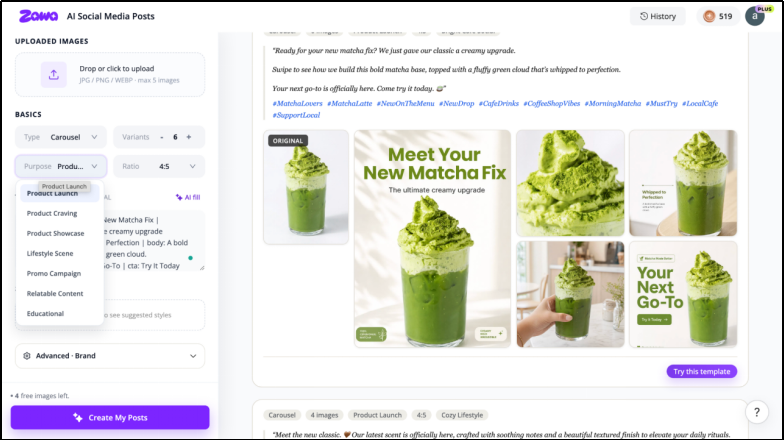
The best part is that the AI generally makes sensible design choices on its own. The fonts, text placement, and color combinations usually matched the overall vibe of the design.
This means that the users don’t have to spend much time making adjustments afterward.
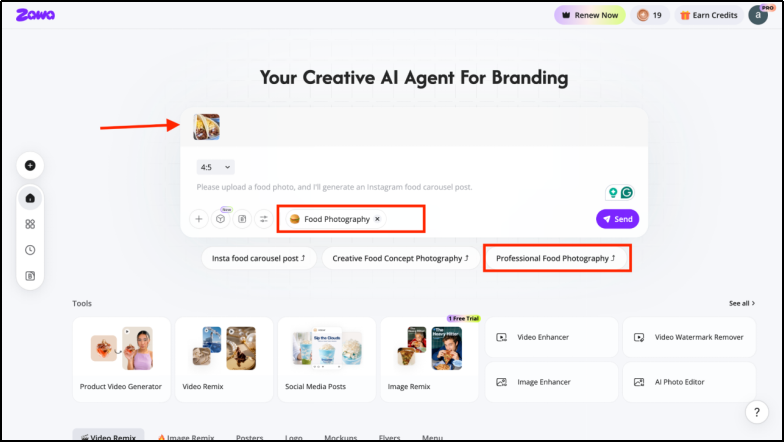
AI Food & Product Photography
Another interesting feature offered by Zawa AI is the AI Food & Product Photography feature. The procedure is fairly straightforward.
You have to upload a picture of the product, select the kind of creative you would like to generate, and finally pick an aspect ratio. AI then does its magic.
Products can be placed in completely different environments, and the background could be generated anew. Interestingly, lighting and shadow effects are managed quite efficiently.
This particular feature is useful for small businesses that conduct frequent promotion events and product launches.
Poster Designing
Another useful application by Zawa AI is the ability to create posters and banners based on marketing goals.
Users can either upload a reference image or simply write a prompt describing the type of poster they want. They can also choose the aspect ratio depending on where the design will be used.
For testing, a simple prompt was used to create a “Coming Soon” poster for a new restaurant. The result came out really well.
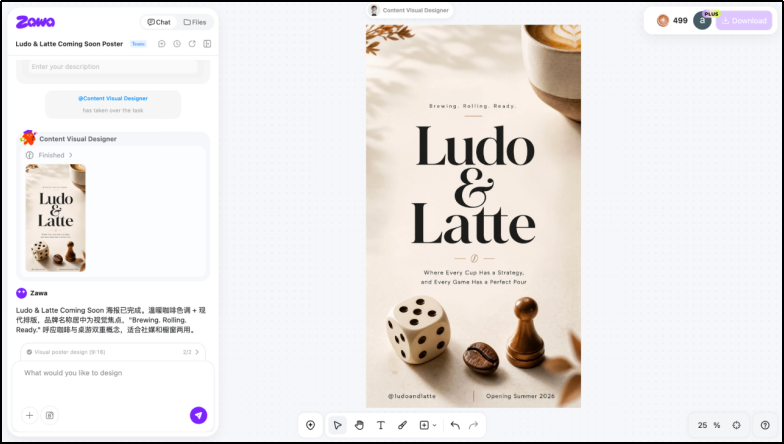
From texture and background feel to layout and overall mood, the AI picked up the right vibe without much input. Even the positioning of elements and visual hierarchy felt accurate and well-balanced, making the design look ready for use with minimal edits.
Hands-On Test: Logo Generation in 90 Seconds
Zawa AI makes it pretty easy to create logos with AI. Here’s how you can do it:
Step 1- Create your prompt
Start by typing something like: “Create a gym logo for Powerhouse that represents strength, energy, and motivation.”
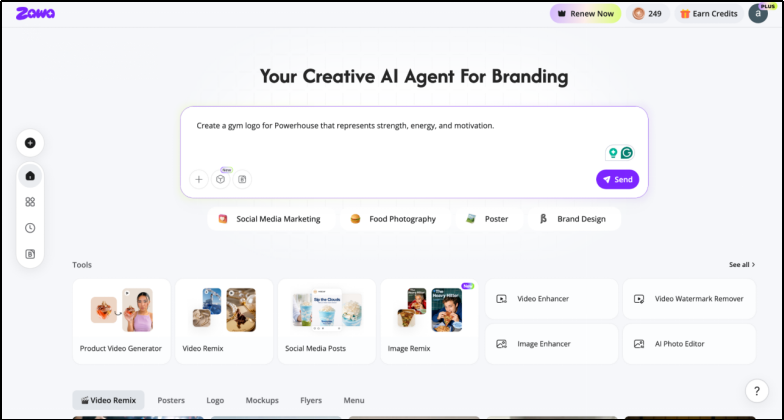
Step 2- Pick the style that suits your vibe
Zawa AI shows you 4 style options: just choose the one that best matches your brand personality.
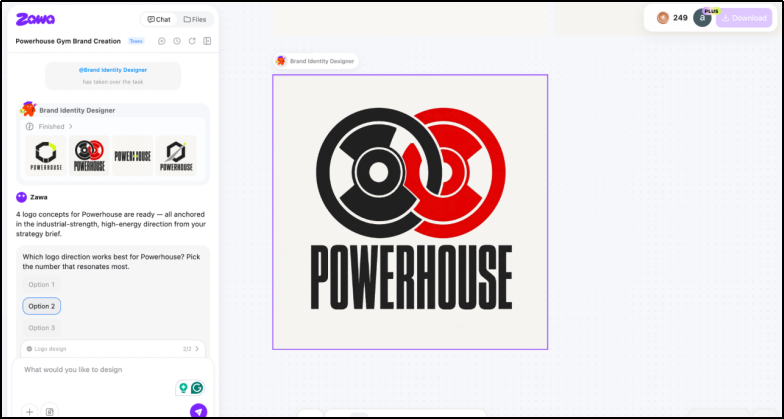
Step 3- Edit the Logo
Refine your logo using simple prompts, like changing colors or adding/removing design elements. Once you’re happy with the result, just download the final logo.
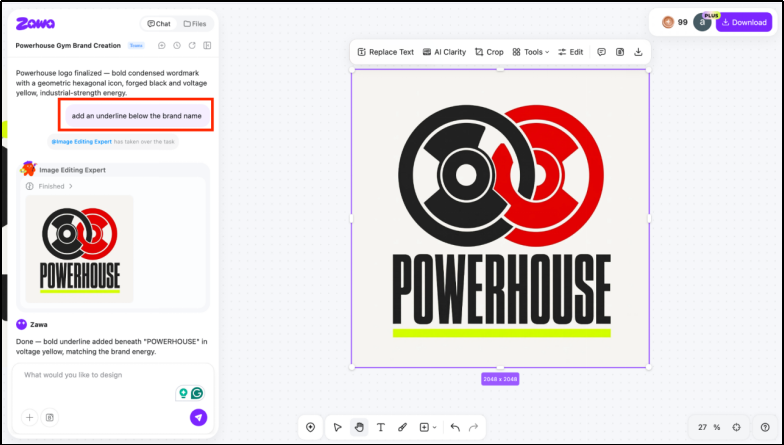
The tool also lets you edit images after download using features like image enhancer and background remover for smoother results.
Brand Archive & Visual Consistency System
One of the more interesting (and slightly underrated) parts of Zawa AI is how it handles long-term brand building through its archive and consistency system.
Brand archive
While testing the platform, one thing that stands out is that everything you create doesn’t just disappear after generation. Zawa automatically stores all logos, variations, and design outputs inside a centralized brand space.
As far as user experience is concerned, this is a pretty helpful aspect since there is no need to manually save files each time.
For instance, if you are trying to explore various ways to make your brand logo, it will be easier to access previous tries without any hassle.
Visual consistency system
The visual consistency system is one of the stronger aspects of Zawa AI. It keeps your brand identity aligned across all design outputs.
Once a logo is created, the same design style can be extended to other assets. Be it storefront signage or social media creatives, the visuals look consistent.
It adapts the design to different formats. Edges and typography are adjusted based on the type of content being created.
At the same time, the core identity of the brand is preserved throughout. This makes the final outputs seem visually cohesive across all brand touchpoints.
Pricing Breakdown
| Plan | Price | Credits | Image Generations | Video Generations |
| Free Plan | $0/month | 60 credits/day (limited time) | Up to 20/day | Up to 5s videos |
| Plus Plan | $5.83/month | 800 credits/month | Up to 160/month | Up to 11 × 5s videos/month |
| Pro Plan | $20.83/month | 3,500 credits/month | Up to 700/month | Up to 100 × 5s videos/month |
| Max Plan | $41.67/month | 8,000 credits/month | Up to 1,600/month | Up to 230 × 5s videos/month |
Pros and Cons of Zawa AI
| Pros | Cons |
| All-in-one branding system combining logos and marketing visuals in one platform | Prompt-dependent results. Quality varies based on input clarity |
| Fast brand creation from idea to full identity in minutes | Limited creative control compared to professional design tools |
| Beginner-friendly workflow with guided prompt-based design steps | |
| Strong focus on SMBs like cafés, gyms, salons, and boutiques needing frequent content | |
| Visual consistency support helps maintain a unified brand identity across assets |
Final verdict: Who Should Use Zawa?
Zawa AI is a great tool for small and medium-scale businesses that want to build a brand without spending heavily on designers. Instead of spending on multiple services, you get a single space where content creation comes together.
For small brands, this cost is the real advantage. You don’t need design skills, and you don’t need a full creative team just to look professional online or offline.
So who should actually use it?
This is ideal for restaurants that require new menus and posters regularly. Also, the app is suited to fitness centers and other companies that require regular posting on social media. The service organizations that depend a lot on visual promotions would also be suitable for Zawa AI. In fact, even small stores can make use of this tool.
In a nutshell, this app suits the needs of small businesses that require fast and affordable branding services without the need for a big marketing team.